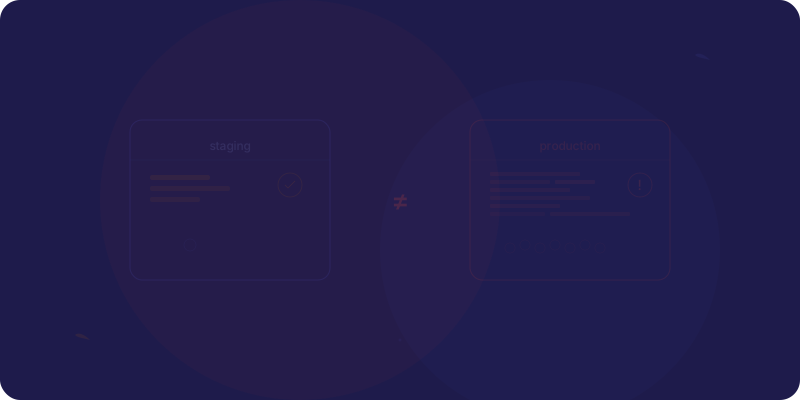
“It works on staging” might be the most dangerous sentence in software engineering. Staging is supposed to be a mirror of production. In practice, it's a funhouse mirror, same shape, completely different reflection. Teams deploy to staging, run a few checks, say “looks good,” and push to production. Then production breaks in ways staging never predicted.
The problem isn't that staging is useless. It's that teams treat it as proof. They treat a successful staging deploy as evidence that production will be fine. But staging and production are different environments with different data, different traffic, different integrations, and different failure modes. Every one of those differences is a lie staging tells you with a straight face.
The Great Staging Illusion
Staging environments exist because of a reasonable idea: before you put code in front of real users, test it somewhere that looks like production. The problem is “looks like” and “behaves like” are entirely different things. A staging environment can have the same operating system, the same application code, and the same database schema, and still behave nothing like production.
The illusion is powerful because staging feels real. You click through the UI. The pages load. The forms submit. The data appears where it should. Everything works. But you're testing with one user, one request at a time, against a database with a few hundred rows, connected to sandbox APIs that forgive every mistake. That's not testing. That's a demo.
The most dangerous part of the staging illusion is the confidence it creates. A team that deploys to staging and sees everything work develops a false sense of security. They stop asking “what could go wrong?” because they've already answered it: “nothing, it worked on staging.” That confidence is the illusion. And it shatters at 2am when production goes down.
All the Ways Staging Lies
Staging doesn't lie in one big, obvious way. It lies in dozens of small, subtle ways that compound into production failures nobody predicted. Each difference between staging and production is a lie, and most teams have never catalogued all the differences.
- ●Different data: Staging has 500 test records. Production has 50 million. Queries that fly on staging crawl in production. Data shapes that don't exist in test data surface constantly in real data.
- ●Different traffic patterns: One QA person clicking through flows is not the same as thousands of concurrent users hammering the same endpoints simultaneously. Concurrency bugs are invisible at staging scale.
- ●Different integrations: Sandbox APIs behave differently than production APIs. Rate limits, error formats, webhook timing, authentication flows, all subtly different.
- ●Different infrastructure: Smaller servers, no CDN, different DNS, missing load balancers, no auto-scaling. The architecture itself is a simplification.
- ●Different timing: No cron jobs clashing, no peak hours, no background workers competing for resources. The temporal dynamics of production don't exist in staging.
The Data Problem
The biggest lie staging tells is about data. Staging databases are either empty, full of fake data, or contain a stale snapshot from production. None of these reflect reality. And the gap between staging data and production data is where an entire category of bugs hides.
That query that runs in 20ms on 500 rows? It takes 45 seconds on 50 million rows. The query planner chooses a completely different execution strategy at scale. Indexes that were never needed on staging become critical in production. Table scans that were invisible become the bottleneck that takes down your database.
But it's not just about volume. It's about variety. Production data is messy, inconsistent, and full of edge cases that no test dataset captures.
- ●Unicode characters in user names that break your rendering logic. Emojis in address fields. Right-to-left text in product descriptions. None of this exists in your test data.
- ●Null values in required fields that somehow got there before you added the constraint. Legacy data that predates your current schema. Records that violate business rules that didn't exist when they were created.
- ●Users with 50,000 orders when your pagination was tested with accounts that have 12. Users with accounts created in 2009 whose data has passed through six different migration scripts, each leaving its own artifacts.
The Scale Problem
Staging handles one request at a time. Production handles a thousand. This isn't a quantitative difference, it's a qualitative one. Certain categories of bugs literally cannot exist at staging scale. They're emergent properties of concurrency, and no amount of single-user testing will reveal them.
Testing in staging for scale issues is like testing a bridge by walking across it alone and declaring it safe for rush-hour traffic. The bridge might be fine for one person. It might collapse under a thousand. You can't know until you apply real load, and staging never carries real load.
- ●Race conditions: Two users update the same record at the same millisecond. Your code reads, modifies, and writes , but between the read and the write, the data has changed. On staging, this never happens because there's only one user.
- ●Connection pool exhaustion: Your database connection pool has 20 connections. On staging, you use 1. In production, a traffic spike uses all 20, and the 21st request hangs until one frees up , or times out.
- ●Cache stampedes: Your cache expires. On staging, one request regenerates it. In production, a thousand requests hit the empty cache simultaneously, each one trying to regenerate it, overwhelming the database behind it.
- ●Database lock contention: Transactions that complete in milliseconds on staging hold locks that block other transactions in production. What was a fast write becomes a queue of blocked writes, cascading into timeouts across your entire application.
The Integration Problem
Your staging environment connects to Stripe's test mode, SendGrid's sandbox, and a mock OAuth provider. Production connects to the real ones. This seems like a minor detail, the APIs have the same interface, right? Wrong. The behavior is subtly different in ways that matter enormously.
Stripe's test mode doesn't enforce the same rate limits as production. SendGrid's sandbox doesn't actually deliver emails, so you can't test bounce handling. Your mock OAuth provider returns tokens instantly, but the real one sometimes takes 3 seconds, causing your UI to show a loading state you never saw in staging. Each sandbox has its own quirks, its own simplifications, its own lies.
The bug that Stripe's test mode doesn't reproduce is the bug that charges customers twice. The webhook that arrives instantly in sandbox takes 30 seconds in production, and your code has already timed out and retried. The OAuth flow that works flawlessly in staging fails on a specific mobile browser because the real provider sends a redirect your staging mock never tested.
- ●Error formats differ: The sandbox returns clean, well-structured error messages. The production API returns errors you've never seen, in formats your error handling doesn't expect.
- ●Timing differs: Webhooks, callbacks, and async operations that are instant in sandbox have real-world latency in production. Your code assumed synchronous behavior because staging made it look synchronous.
- ●Edge cases aren't simulated: What happens when the payment processor is partially down? When the email service rate-limits you? When the OAuth provider changes their certificate? Sandboxes don't simulate degraded states.
What to Do Instead
Don't abandon staging. But stop treating it as proof. Staging is a development tool, not a testing environment. Use it for development and basic sanity checks , does the page render, does the form submit, does the API return a response. But don't let a successful staging deploy be the reason you're confident about production.
Your real safety net is production monitoring. If you're spending 80% of your effort making staging perfect and 20% on production observability, flip those numbers. The return on investment for production monitoring dwarfs the return on staging fidelity.
- ●Deploy with feature flags: Ship the code but don't activate it for everyone. Roll it out to 1% of users, then 5%, then 20%. If something breaks, it breaks for a small group, not your entire user base.
- ●Use canary releases: Deploy the new version to a single production server. Compare its error rates, latency, and resource usage against the old version. If the canary is healthy, roll out wider. If it's not, roll back before anyone notices.
- ●Monitor the first 10 minutes religiously: The window right after a deploy is when most issues surface. Watch error rates, response times, and key business metrics like a hawk. Automate alerts for anomalies. Have a one-click rollback ready.
- ●Accept the truth: Staging is where you develop. Production is where you test. That sounds backwards, but it's honest. The best teams don't pretend staging is production. They build systems that make production safe to deploy to.
The Mindset Shift
The question most teams ask before a deploy is: “Did it work on staging?” That question feels responsible. It feels like due diligence. But it's the wrong question, because the answer is almost always yes, and it tells you almost nothing about what will happen in production.
The better question is: “What could go wrong in production that staging can't show us?” That question changes everything. It leads to threat modeling instead of checkbox testing. It leads to better monitoring, because you know what to watch for. It leads to better rollback plans, because you've already imagined the failure scenarios.
“What could go wrong in production that staging can't show us?”
That single question, asked before every deploy, will prevent more incidents than a perfect staging environment ever could. It acknowledges reality: that staging is a useful fiction, and production is where the truth lives. Teams that internalize this don't have fewer deploys. They have fewer 3am incidents. They don't deploy less often, they deploy with better safety nets. And they never say “but it worked on staging” as if that sentence means anything.
Stop Trusting the Mirror
Your staging environment isn't malicious. It's not trying to deceive you. But it's structurally incapable of telling you the truth about production. Different data, different scale, different integrations, different timing, each difference is a blind spot, and blind spots are where production incidents live.
Use staging for what it's good at: development workflows, basic smoke tests, and catching obvious regressions. But invest your real effort into production safety, feature flags, canary deploys, observability, and fast rollbacks. Build a deployment pipeline that assumes things will go wrong and makes recovery fast, instead of one that assumes staging proved everything is fine.
The teams that ship reliably aren't the ones with the most realistic staging environments. They're the ones that stopped pretending staging was realistic in the first place. They accepted that the only true test of production is production itself, and they built their entire deployment process around that truth.